Maple Tree Vector Illustration Guide
The silhouette of a Maple Tree is instantly recognizable, evoking feelings of stability, natural beauty, and seasonal change. For designers, entrepreneurs, and hobbyists alike, having access to a high-quality vector illustration of this iconic tree can transform a simple project into a professional-grade asset. Whether you are building a brand identity for an eco-friendly company or creating DIY home decor, the versatility of a well-crafted maple graphic cannot be overstated. This guide explores how different users can leverage these digital assets effectively, ensuring that your creative output remains sharp, scalable, and visually compelling.
Why Vector Quality Matters for Your Projects
Before diving into specific use cases, it is essential to understand why the file format matters. A vector template differs significantly from standard raster images like JPEGs. Vectors are built using mathematical paths rather than pixels. This means you can resize a Maple Tree logo from the size of a business card to the side of a delivery truck without losing any clarity. There is no pixelation, no blurriness, and no loss of detail.
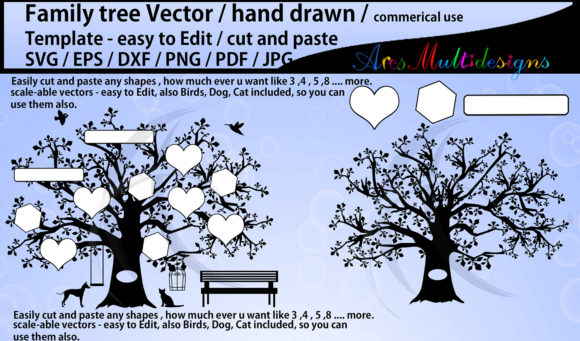
When you download a set that includes EPS10, SVG, PNG, and JPG files, you are equipping yourself with a toolkit that covers every possible design scenario. The EPS and SVG files are ideal for professional editing in software like Adobe Illustrator or Inkscape, allowing you to change colors, adjust branches, or integrate the tree into complex compositions. Meanwhile, PNGs with transparent backgrounds are perfect for quick web integration, and JPGs serve well for immediate previewing or printing where transparency is not required.
Branding and Business Identity
For small business owners and marketers, the Maple Tree often symbolizes growth, endurance, and organic quality. These associations make it a powerful element for branding in industries ranging from landscaping and agriculture to wellness and education.
- Logo Design: A circular maple tree logo creates a sense of unity and completeness. It works exceptionally well for companies that want to project stability and community focus.
- Corporate Stationery: Using the vector on letterheads, envelopes, and business cards ensures that your brand looks consistent and polished across all touchpoints.
- Packaging: For businesses selling natural products, such as organic foods or herbal supplements, the maple illustration adds an authentic, earthy aesthetic that resonates with conscious consumers.
Professionals in this space prioritize flexibility and commercial value. They need files that are easy to edit to match specific brand color palettes. The ability to open an EPS file, isolate the tree shape, and recolor it to match a corporate green or autumn orange saves hours of design time and reduces the cost of hiring external graphic artists for minor adjustments.
Creative Applications for Designers and Artists
Graphic designers and digital artists look for assets that spark creativity rather than limit it. A gorgeous Maple Tree vector illustration serves as a foundational element that can be manipulated in countless ways. Because the files are editable, designers can deconstruct the image, using individual leaves or branches as separate design elements.
Consider the following creative applications:
- T-Shirt Designs: The bold lines of a maple tree translate well to screen printing. Designers can layer the tree over typography or use it as a central focal point for apparel brands.
- Web and Blog Graphics: The SVG format is particularly valuable here. It loads quickly and remains crisp on high-resolution retina displays, enhancing user experience without compromising site speed.
- Animations: By importing the vector layers into animation software, creators can bring the tree to life. Leaves can fall, branches can sway, or the tree can grow seasonally, adding dynamic engagement to digital presentations.
For this audience, ease of use and quality are paramount. They need clean paths with no unnecessary anchor points, making the editing process smooth and efficient. A well-structured vector file allows for rapid prototyping, enabling designers to test multiple concepts quickly.
Educational and Community Uses
Educators and community organizers often require visual aids that are both accurate and aesthetically pleasing. A Maple Tree illustration can be used in biology lessons to discuss plant anatomy, seasonal changes, or local ecosystems. Because the vector is resizable, teachers can print large posters for classroom walls or small handouts for student activities without worrying about image degradation.
Furthermore, community groups focused on environmental conservation can use these graphics for flyers, social media campaigns, and event banners. The inclusive nature of digital downloads means that non-profits with limited budgets can access professional-quality design elements. They prioritize cost-effectiveness and versatility, needing one asset that can serve multiple purposes across different platforms.
DIY Crafts and Personal Projects
Hobbyists and crafters find immense value in high-resolution digital files for personal projects. The rise of home cutting machines, such as Cricut or Silhouette devices, has made it easier than ever to turn digital vectors into physical objects. An SVG file of a Maple Tree can be sent directly to these machines to cut vinyl decals, paper stencils, or fabric shapes.
Practical examples for hobbyists include:
- Home Decor: Create wall art by printing the illustration on canvas or wood. The circular shape fits perfectly into modern minimalist frames.
- Seasonal Crafts: Use the tree silhouette for autumn-themed invitations, thank-you cards, or scrapbooking layouts.
- Custom Gifts: Apply the design to mugs, tote bags, or pillows using heat transfer vinyl, creating personalized gifts for friends and family.
For this group, reliability is key. They need files that work seamlessly with consumer-grade software and hardware. The inclusion of PNG files with transparent backgrounds is particularly helpful for those who may not have advanced vector editing skills but still want to incorporate the image into digital photo albums or simple print projects.
Making the Right Choice for Your Needs
When evaluating whether a Maple Tree vector set matches your goals, consider your primary objective. If you are a beginner, look for sets that include detailed instructions or pre-colored variations. If you are a professional, check the file compatibility with your preferred design suite. Always verify that the download includes the necessary formats—EPS for editing, SVG for web and cutting machines, and PNG/JPG for immediate use.
Ultimately, the value of this digital asset lies in its adaptability. It bridges the gap between professional branding and personal creativity. By choosing high-quality, editable vector files, you ensure that your projects maintain a polished appearance regardless of the medium. Whether you are designing a corporate logo, teaching a class, or crafting holiday decorations, the Maple Tree illustration offers a timeless aesthetic that enhances your work with minimal effort.
Remember to respect licensing terms when using these files, especially for commercial purposes. Most high-quality vector packs come with clear usage rights, allowing you to use them in client work or products for sale. By understanding the strengths of each file type and aligning them with your specific project requirements, you can maximize the potential of your design resources and achieve professional results efficiently.